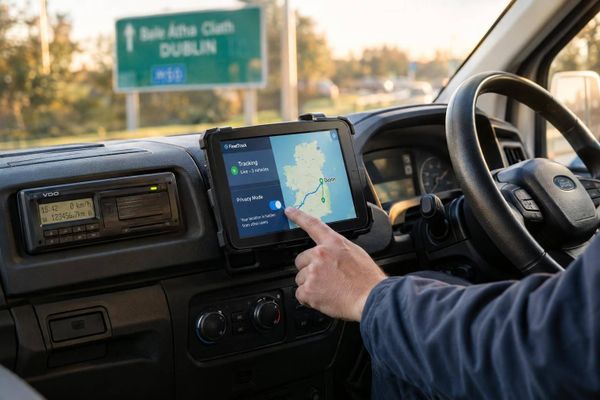
Checklist for Implementing Edge Computing
Checklist to deploy edge computing in fleets: use cases, hardware, security, testing and optimisation for reliable offline ops.
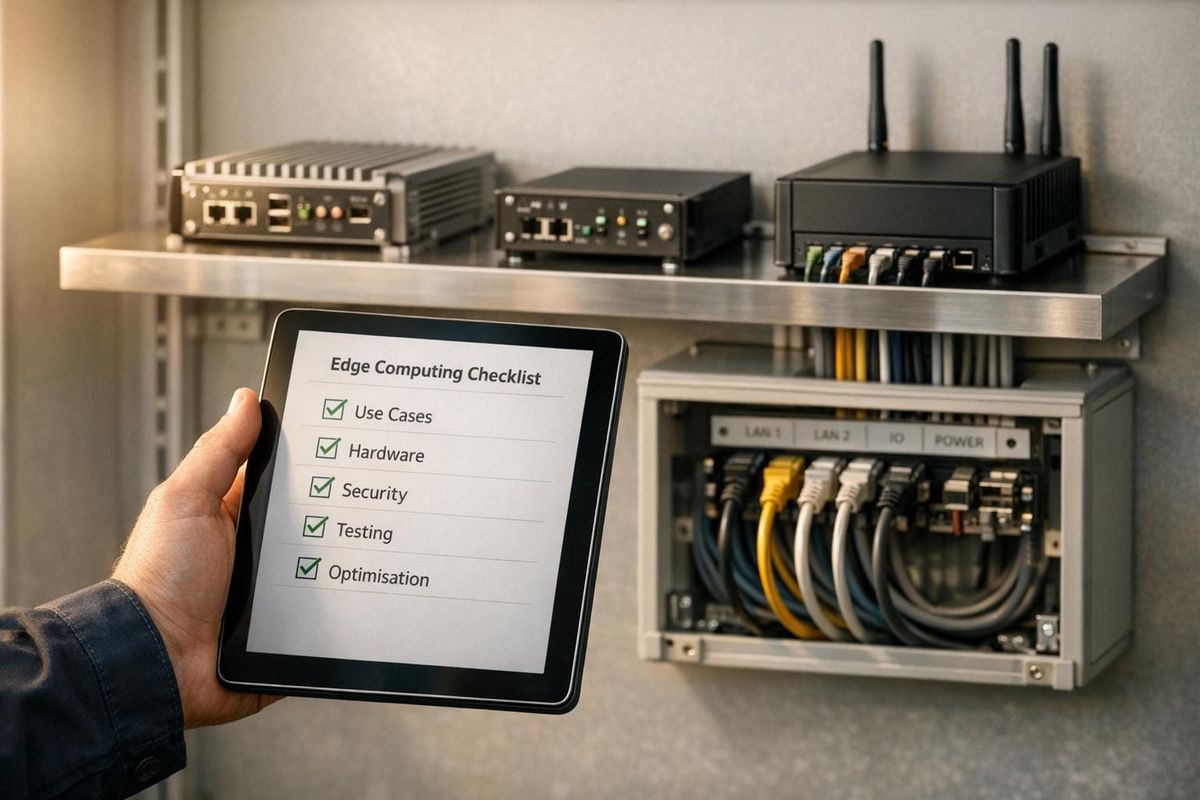
Edge computing is transforming fleet management by enabling faster decisions, reducing data transmission costs, and ensuring uninterrupted operations in low-connectivity areas. Instead of relying entirely on the cloud, edge systems process critical data locally - inside vehicles, gateways, or sensors - allowing fleets to respond instantly to events like theft alerts, temperature changes, or harsh braking.
Key Takeaways:
- Faster Decision-Making: Edge systems process data in milliseconds, crucial for time-sensitive alerts like collision detection or temperature breaches.
- Cost Savings: By filtering and compressing data, edge computing reduces cloud storage and mobile data costs.
- Connectivity Resilience: Local caching ensures data continuity during signal outages in tunnels, rural areas, or dead zones.
- Hybrid Approach: Combine edge for immediate actions and cloud for long-term analysis, such as tracking fuel trends or route patterns.
How to Get Started:
- Identify Use Cases: Pinpoint where your fleet needs van tracking solutions for faster alerts, better connectivity, or reduced costs.
- Choose the Right Hardware: Select durable devices with local storage and processing capabilities.
- Integrate Software: Use clear alert rules and compatible protocols to align with your fleet’s needs.
- Plan for Security: Encrypt data, implement Zero Trust models, and ensure compliance with UK GDPR.
- Test and Monitor: Start with pilot programmes, monitor performance metrics, and optimise systems regularly.
By following these steps, fleets can improve responsiveness, reduce costs, and maintain reliable operations - even in challenging conditions.
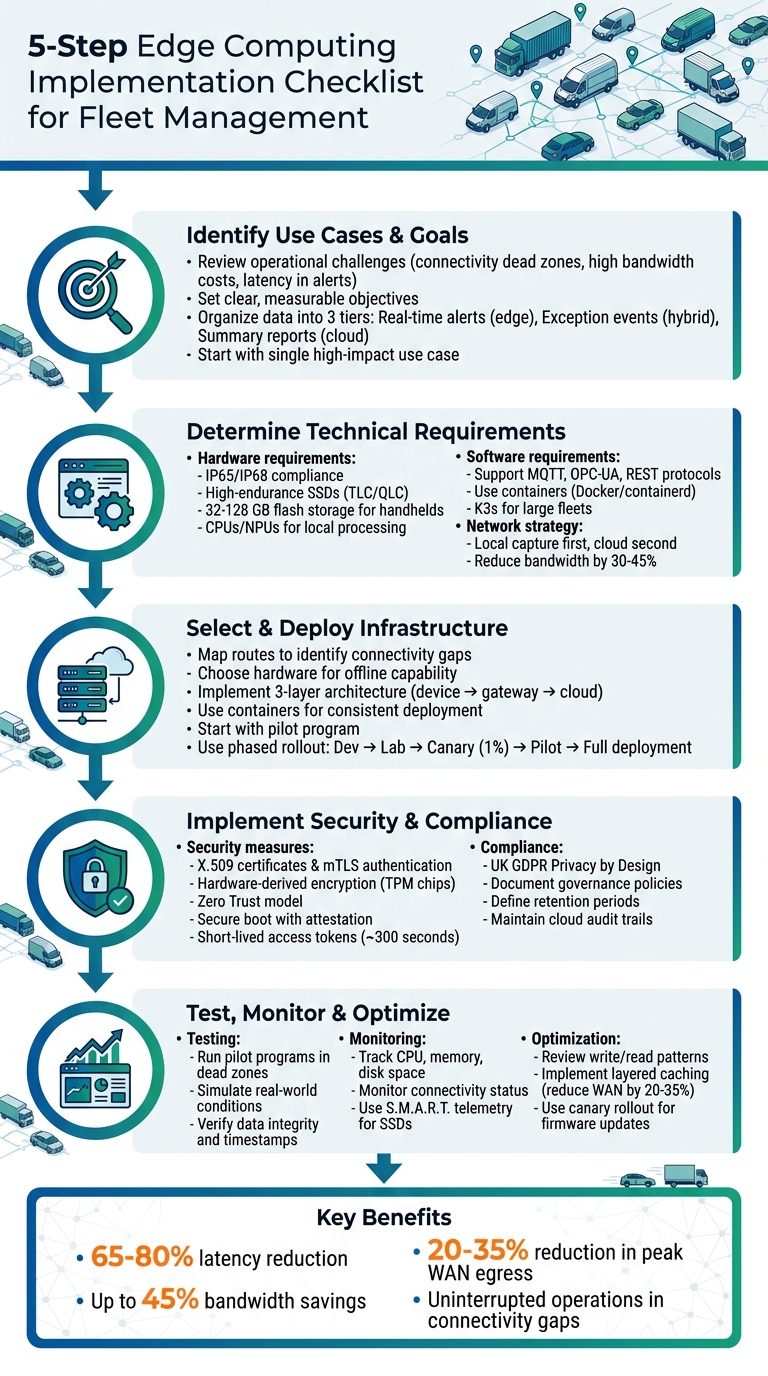
5-Step Edge Computing Implementation Checklist for Fleet Management
Fleet Management Reimagined: Machine Learning, Edge Devices, and Timeseries Data
sbb-itb-499a7f0
Step 1: Identify Your Fleet's Use Cases and Goals
Before diving into hardware investments or signing contracts, take a step back to pinpoint your fleet's specific challenges. Edge computing isn't a one-size-fits-all solution - it works best for addressing issues tied to speed, connectivity, or bandwidth constraints. So, ask yourself: where is your fleet losing visibility, wasting resources, or missing key alerts? This understanding is essential for setting clear, actionable goals.
Review Your Operational Challenges
Fleet operators often encounter problems that edge computing can help address. For instance:
- Connectivity dead zones: These can result in data gaps and incomplete audit trails, making it harder to track operations effectively.
- High bandwidth costs: Continuous video streaming from dash cams or constant sensor updates to the cloud can rack up hefty data bills and create unnecessary noise.
- Latency in critical alerts: In cold-chain logistics, even a few minutes of delay in detecting a temperature breach could lead to spoiled goods before action can be taken .
- Compliance gaps: Poor connectivity can cause undercounting of driving hours or missed safety events, which could lead to regulatory issues.
Unfiltered data from cloud-only systems can overwhelm dispatchers. It's essential to prioritise actionable data - like changes in location, temperature, or risk state - before it reaches the cloud. Mapping your fleet's regular routes can also help identify "dead zones" where onboard storage becomes critical. Studies show that local caching at the edge can reduce peak WAN egress by 20–35%, while edge-first strategies can cut missed offline inventory picks by about 20%.
Set Clear Objectives
Once you've identified the challenges, set specific, measurable goals. Avoid vague targets like "better tracking." Instead, aim for outcomes such as eliminating missed temperature alerts during outages to prevent refrigerated cargo spoilage or cutting cloud bandwidth usage by up to 90%.
Organise your data into three tiers:
- Tier 1: Real-time alerts handled at the edge.
- Tier 2: Exception events managed through edge or hybrid systems.
- Tier 3: Summary reports stored in the cloud.
Start with a single high-impact use case to prove the return on investment (ROI) before scaling up. For example, instead of streaming dash cam footage continuously, focus on capturing 15–20 seconds of footage around collision events. Ensure that edge-based alerts integrate seamlessly with your existing systems, aiming for faster response times, not just better detection. Finally, plan for offline scenarios by ensuring your hardware can buffer data for the longest expected downtime, such as a six-hour rural route, without overwriting the queue.
Step 2: Determine Technical and Operational Requirements
After outlining your fleet's operational goals, the next step is to match these needs with the right technical, software, and network specifications. It's not about splurging on the priciest gear - it’s about ensuring your choices align with your fleet's specific demands.
Hardware and Software Requirements
A typical edge deployment relies on a three-layer architecture: the device layer (gathering raw data from sensors and GPS), the gateway layer (handling tasks like local filtering, compression, and buffering), and the cloud layer (managing analytics and dashboards for the long term). For fleet operations, hardware must be durable enough to handle tough conditions. Seek devices that comply with IP65 or IP68 standards and are drop-tested from at least 1.2 metres.
Storage is another key factor. Edge devices require high-endurance SSDs to handle constant data writes without breaking down. TLC (Triple-Level Cell) drives are ideal for gateways dealing with frequent reads and occasional writes, while QLC (Quad-Level Cell) drives work well for large machine learning models or read-heavy caches. Before purchasing, review your fleet's current read/write patterns to choose the right storage class and endurance level. For handheld devices used by drivers, aim for 32–128 GB of flash storage, dual-band Wi-Fi, optional 4G/5G modems, and batteries that last through an 8–12 hour shift.
Modern edge hardware should feature CPUs or NPUs (Neural Processing Units) for local tasks like route optimisation and anomaly detection. If you're planning to use advanced AI - such as real-time dash cam analysis for spotting driver distractions - consider GPUs or TPUs. Use containers (via Docker or containerd) to package edge collectors and agents, ensuring consistent deployments and dependency isolation across diverse hardware. Your software must support key protocols like MQTT for lightweight telemetry, OPC-UA for older equipment, and REST endpoints for system integration.
For large fleets with hundreds or thousands of edge nodes, lightweight Kubernetes distributions like K3s can help manage containerised workloads across vehicles. When rolling out firmware updates, adopt a "canary" strategy - start with just 1% of the fleet to identify and resolve any issues before wider deployment.
Network and Connectivity Requirements
Once your hardware and software are in place, focus on building a reliable connectivity strategy to maintain a steady data flow. Fleet operators can’t always count on uninterrupted mobile coverage. A "local capture first, cloud second" approach ensures devices store data locally during outages and sync it later when connectivity is restored. Map your fleet’s routes to identify areas with poor coverage - such as tunnels, rural zones, or dead spots - and use this information to calculate the required local storage capacity. Devices should buffer data for the longest anticipated offline periods without overwriting critical events.
"In low-connectivity fleets, the best telematics device is not the one with the flashiest live map. It is the one that can keep a complete, tamper-resistant record through every dead zone, tunnel, and rural gap."
– trackmobile.uk
Establish priority rules to ensure critical events - like crash alerts, refrigeration alarms, or theft warnings —often managed through white-label tracking solutions— - are transmitted first, while routine data like pings are compressed or batched. Use event IDs and monotonic counters to ensure data syncs in the correct order once connectivity is restored, preventing the loss of key information during brief outages. Edge filtering and aggregation can reduce bandwidth usage by 30–45%, which directly lowers mobile data costs.
Design systems to "degrade gracefully" during connectivity issues by using local gateways for filtering and buffering. This ensures operational processes remain functional even when the cloud connection is down. For fleets operating in urban areas with reliable 4G/5G, a cloud-first approach might work. However, for rural operations, refrigerated transport, or high-value cargo, an edge-first setup is crucial to prevent data loss and maintain smooth operations.
Step 3: Select and Deploy Edge Computing Infrastructure
With your technical requirements in place, the next step is choosing and implementing the right edge infrastructure. Your hardware and software decisions should align with your fleet's specific goals, route profiles, and future expansion plans.
Choose the Right Hardware
The hardware you select depends heavily on your fleet's operating environment. For example, urban fleets operating in areas with reliable 5G coverage can opt for lighter edge devices. On the other hand, fleets travelling through rural, coastal, or construction-heavy regions will need hardware that can function effectively offline.
Start by mapping your fleet’s routes to pinpoint connectivity gaps, such as tunnels, rural stretches, or areas with weak signals. Then, size your local storage to handle the worst-case scenario rather than the average. This ensures your systems can maintain functionality even in the most challenging conditions.
Your edge devices should be capable of processing critical events locally, such as detecting harsh braking, collision triggers, or temperature breaches. This allows for immediate responses without relying on cloud connectivity. Additionally, choose hardware that can withstand ignition cycles and power losses without compromising data integrity. Onboard storage should also be encrypted to safeguard sensitive information like dash cam footage or customer details in case of theft.
For practical options, consider edge-capable trackers like GRS Fleet Telematics, edge servers for larger fleets, or single-board computers for gateway roles. A notable example comes from a UK fulfilment operator, which implemented enterprise-grade SSDs and enhanced local caching in late 2025. This move led to a 20–35% reduction in peak WAN egress and approximately 20% fewer missed offline picks.
"In low-connectivity fleets, the best telematics device is not the one with the flashiest live map. It is the one that can keep a complete, tamper-resistant record through every dead zone, tunnel, and rural gap."
– James Harrington, Senior Fleet Telematics Editor
Integrate Edge Software
The success of your edge deployment hinges on effective software integration. Without it, you risk creating isolated data silos. A three-layer architecture works best: devices capture raw signals, gateways handle edge-level processing, and the cloud manages long-term storage and analytics.
Before installation, define alert rules in clear terms that match your operational needs. For instance: "If trailer temperature exceeds 5°C for 120 seconds, alert dispatch." This ensures the software logic aligns with your use cases from the start. Use containers, such as Docker or containerd, to package edge collectors and agents for consistent deployment across different hardware. For larger fleets, lightweight Kubernetes distributions like K3s can simplify managing containerised workloads across multiple vehicles.
Integrate edge alerts directly into existing systems like dispatch boards, ERPs, or maintenance ticketing platforms to avoid creating separate inboxes that slow response times. Use traceable sync logic with event IDs and monotonic counters to ensure accurate timestamps and resolve duplicates when vehicles reconnect to the network. Test thoroughly before rollout to confirm that devices store and sync records correctly during and after signal outages.
Plan for Scalable Deployment
Scalability is key to ensuring your infrastructure can grow with your fleet. Begin with a single high-impact use case, such as temperature monitoring for refrigerated trucks or collision-triggered video clips. This allows you to demonstrate ROI before scaling up.
Adopt a phased approach for firmware rollouts: start with development, then move to lab testing, canary deployment (1% of vehicles), pilot testing, and finally full deployment. This method helps identify and resolve issues early. For example, a UK fulfilment operator discovered a firmware bug during the canary stage, preventing a potential peak-season disruption.
Monitor write patterns over 2–4 weeks to choose SSDs that can handle the high-write demands of edge logging. Implement a tiered storage policy to manage data growth effectively:
- Tier 1: Real-time alerts (e.g., collisions, theft)
- Tier 2: Exceptions (e.g., route deviations)
- Tier 3: Summaries (e.g., monthly fuel reports)
Select hardware with A/B partitions or dual-bank boot capabilities so devices can roll back automatically if a firmware update fails. Regularly audit for issues like "silent data decay", which could indicate synchronisation problems between edge and cloud systems. These steps will ensure your edge infrastructure remains reliable and adaptable as your fleet evolves.
Step 4: Implement Security and Compliance Measures
Once your edge computing infrastructure is up and running, the next challenge is securing devices and ensuring compliance with van tracker systems. Edge devices, whether in vehicles, depots, or remote locations, are particularly vulnerable to physical attacks. Unlike servers protected by firewalls in data centres, edge hardware needs a layered defence strategy that assumes breaches are possible and mitigates risks accordingly.
Data Security Best Practices
To safeguard your data, use X.509 certificate-based authentication and mTLS to validate every device communicating with your central server. This prevents unauthorised devices from impersonating legitimate ones. Encrypt data using hardware-derived keys from TPM chips, ensuring it remains secure even if a device is stolen.
Adopt a Zero Trust model, which continuously verifies devices based on factors like location, firmware version, and trust scores. Secure boot with attestation ensures the software integrity of edge devices, while short-lived access tokens (about 300 seconds) restrict attackers' opportunities to exploit access.
"Edge devices operate in physically exposed environments where attackers can gain direct access. Unlike data centre servers behind firewalls, edge devices require defence-in-depth security strategies that assume compromise is possible."
– Nawaz Dhandala, Author
Use AI-driven monitoring to detect security issues like failed authentication attempts, policy breaches, or outdated firmware. If a device’s security features are disabled - through jailbreaking, for example - it should be automatically blocked from the network. Regular firmware updates are essential to keep devices secure.
| Security Measure | Implementation Method | Primary Benefit |
|---|---|---|
| Authentication | X.509 Certificates & mTLS | Prevents unauthorised device spoofing |
| Data at Rest | Hardware-derived AES-GCM Encryption | Protects data if the device is stolen |
| Data in Transit | End-to-End (E2E) Encryption | Prevents man-in-the-middle attacks |
| Integrity | Secure Boot & Attestation | Ensures firmware hasn’t been tampered with |
| Access Control | Zero Trust & Least Privilege | Limits damage from a compromised device |
With these security measures in place, the next step is ensuring compliance with UK regulations.
Compliance with UK Regulations
Edge computing can help fleet operators align with UK GDPR requirements by implementing "Privacy by Design" principles. For example, processing dash cam footage locally and uploading only specific clips - such as those triggered by accidents or harsh braking - reduces the collection of sensitive personal data like faces, registration plates, or delivery addresses. This approach not only protects privacy but also supports the operational flexibility that edge computing offers.
"Edge processing can improve privacy and security by reducing how much raw data leaves the vehicle. That matters when dash cams capture faces, reg plates, delivery addresses, or sensitive customer locations."
– Daniel Mercer, Senior Fleet Technology Editor
Before rolling out your system, document governance policies, including alert rules, retention periods, and escalation procedures, to ensure everything is auditable and compliant. Even with edge processing, maintain a cloud-based audit trail with timestamped records of all events for both compliance and insurance purposes. Define clear retention policies for local storage to avoid holding sensitive data on vehicles longer than necessary.
Ensure your hardware suppliers provide tamper-resistant records and clearly explain how firmware updates are signed and how device identities are managed. Regular security audits are essential to confirm that your edge infrastructure meets evolving UK data protection standards. By processing critical decisions at the edge while managing long-term reporting and compliance in the cloud, you create a system that balances efficiency with regulatory requirements.
Step 5: Test, Monitor, and Optimise
To keep your fleet running smoothly and make quick, informed decisions, testing, monitoring, and optimisation are must-haves for modern edge computing systems. Once you've deployed your edge infrastructure, these steps ensure everything works as planned and delivers the expected results. Skipping this part can lead to errors in configuration, missed dependencies, or poor post-deployment checks, which could jeopardise your entire operation.
Test Edge Computing Systems
Before rolling out on a large scale, test your edge systems under real-world conditions. Start small with a pilot programme targeting a critical use case, like monitoring refrigerated temperature alerts. This allows you to define clear KPIs and measure success accurately. Simulate real scenarios by testing in areas with weak signals, running actual routes, and triggering specific events to check local storage and synchronisation.
Map out coverage along your routes, noting dead zones like tunnels or rural areas, and use these spots to test edge system resilience. Confirm that offline buffering can handle expected downtimes. Expose hardware to typical stressors such as power interruptions, ignition cycles, and firmware updates to ensure durability.
"A checklist standardises edge rollout, minimising configuration errors and missed dependencies."
– QuarkAndCode
Data integrity is another critical checkpoint. After syncing, verify that timestamps are accurate, and event sequences align correctly in your central dashboard. Push your system further with "break testing" - trigger failures intentionally to confirm that alerts and notifications work as expected. Audit vendor logs to check upload retries, conflict resolution, and data retention during disconnected periods.
Once testing wraps up, shift your focus to real-time monitoring to maintain system health.
Set Up Monitoring Practices
Robust monitoring is essential after testing to ensure everything continues to run smoothly. Keep an eye on runtime metrics like CPU usage, memory, and disk space, as well as custom telemetry to confirm data is processed and aggregated on time. Establish baselines for normal performance to help spot gradual issues like resource bottlenecks or performance drops.
Monitor connectivity and gateway status to quickly identify when a device fails to connect to the IoT hub. For fleets operating in areas with poor connectivity, track local caches or buffers to ensure data is stored during outages and synced in the correct order once back online. Use S.M.A.R.T. telemetry to monitor SSD endurance, particularly for write-intensive tasks like dash cam logging.
Set up tiered alerts and automate routine maintenance tasks, such as log cleanups, to avoid performance issues.
"You can't optimise what you can't measure, and you can't fix what you don't know is broken."
– Michael Becker, Author
Optimise System Performance
Optimisation isn't a one-and-done task - it requires ongoing analysis and adjustments. Regularly review edge device data, such as write and read patterns, to ensure the chosen storage class can handle the workload and avoid premature hardware failure. Employ layered caching strategies to cut WAN costs and reduce latency. For instance, UK fulfilment operators in late 2025 achieved a 20–35% reduction in peak WAN egress and lowered missed offline picks by 20% using this approach.
Batch non-critical data, like idling logs, for nightly syncs to reduce immediate network strain. Continuously evaluate device performance to fine-tune cache sizes and policies. For firmware updates, use a "canary" rollout method - start with 1% of the fleet, then 10%, before going all-in. This helps identify region-specific issues early, as one UK operator did, catching a vendor regression before it affected 95% of devices during a busy season.
Don't forget to test recovery procedures monthly. Validate both device images and gateway backups to ensure your Recovery Time Objective (RTO) and Recovery Point Objective (RPO) goals are met. Set strict limits on CPU, memory, and storage usage - for example, capping background monitoring at 5% CPU - to prevent edge analytics from interfering with critical vehicle or handheld functions.
Conclusion
Review of the Checklist
Bringing edge computing into your fleet requires a well-thought-out plan that balances technical requirements with day-to-day operational demands. Start by identifying the specific scenarios where edge computing offers the most value - like ensuring cold-chain integrity or collecting real-time collision data. Then, map out routes to locate connectivity dead zones and choose hardware equipped with onboard storage to handle data during signal outages.
Your system's architecture should handle both processing needs and the conditions your fleet operates in. Select SSDs that match actual write-use patterns, use container orchestration to maintain consistency across devices, and create data-tiering policies to ensure critical alerts are processed locally while non-urgent data syncs with the cloud. Security and compliance must be a priority from the outset. Implement strong device authentication, encryption, and zero-trust networking to meet GDPR standards.
Run pilot programmes in areas with poor connectivity to confirm devices can store hours of telemetry data. Use continuous monitoring and phased firmware updates to identify and resolve issues early, ensuring operations remain smooth. When done right, these steps make your edge computing deployment both reliable and adaptable.
Final Thoughts on Edge Computing for Fleet Management
This checklist provides a clear path to unlocking the advantages of edge computing. By cutting latency by 65–80% and reducing bandwidth consumption by up to 45%, edge computing not only enhances responsiveness but also lowers operational costs. Perhaps most critically, it ensures uninterrupted operations during connectivity gaps - whether in tunnels, rural areas, or during temporary outages - preserving crucial audit trails.
The move towards hybrid "edge-first" architectures is part of a larger industry shift. Gartner estimates that by 2025, 75% of enterprise-generated data will be processed outside traditional data centres, with global spending on edge computing expected to hit £274 billion. For fleet operators managing time-sensitive deliveries, high-value cargo, or temperature-controlled goods, adopting edge computing isn't just about staying current - it’s about maintaining operational reliability when every second and data point matters.
FAQs
What fleet tasks should run at the edge vs in the cloud?
Tasks that demand quick response times, offline functionality, or immediate decisions - such as safety alerts, collision prevention, or real-time sensor data handling - are ideal for edge processing. This approach ensures dependable performance even in areas with limited or no connectivity.
On the other hand, the cloud excels at handling long-term analysis, regulatory compliance, and large-scale data storage. Its centralised processing capabilities make it perfect for tasks that aren't time-sensitive. Combining both edge and cloud processing offers a balanced solution, addressing immediate operational needs while supporting broader, strategic data insights.
How much onboard storage do I need for offline routes?
When it comes to onboard storage for offline routes, the amount you need hinges on your fleet's specific operational requirements. Generally, the storage should be capable of holding route data, scan histories, and logs for several hours or even days without requiring an internet connection.
For this, durable, high-capacity SSDs or premium eMMC/UFS modules are excellent choices. These options are particularly useful in remote areas, where maintaining uninterrupted data collection is critical. They also ensure that synchronisation runs smoothly once connectivity is restored.
Many fleets find that a hybrid system works best. This involves using onboard storage for offline periods, paired with regular updates to the cloud whenever a connection is available. This combination ensures both reliability and efficiency.
How do I keep edge devices secure and UK GDPR compliant?
To keep edge devices secure and compliant with UK GDPR, it's crucial to adopt strong security practices and align data management with regulatory standards. Here are some key actions to consider:
- Encrypt data: Ensure all data is encrypted both at rest and during transmission to protect it from unauthorised access.
- Secure physical access: Limit who can physically access the devices to prevent tampering or theft.
- Regular software updates: Keep device software up to date to fix vulnerabilities and enhance security.
- Local data processing: Process sensitive information directly on the device whenever possible to reduce exposure.
- Security audits: Conduct frequent security reviews to identify and address potential risks.
By following these steps, you can reduce vulnerabilities and stay compliant with UK GDPR requirements.