5 Common Van Tracker Issues and Fixes
Common van tracker problems: no location, GPS drift, data gaps, unresponsive devices and false geofence alerts, with practical fixes and upkeep tips.
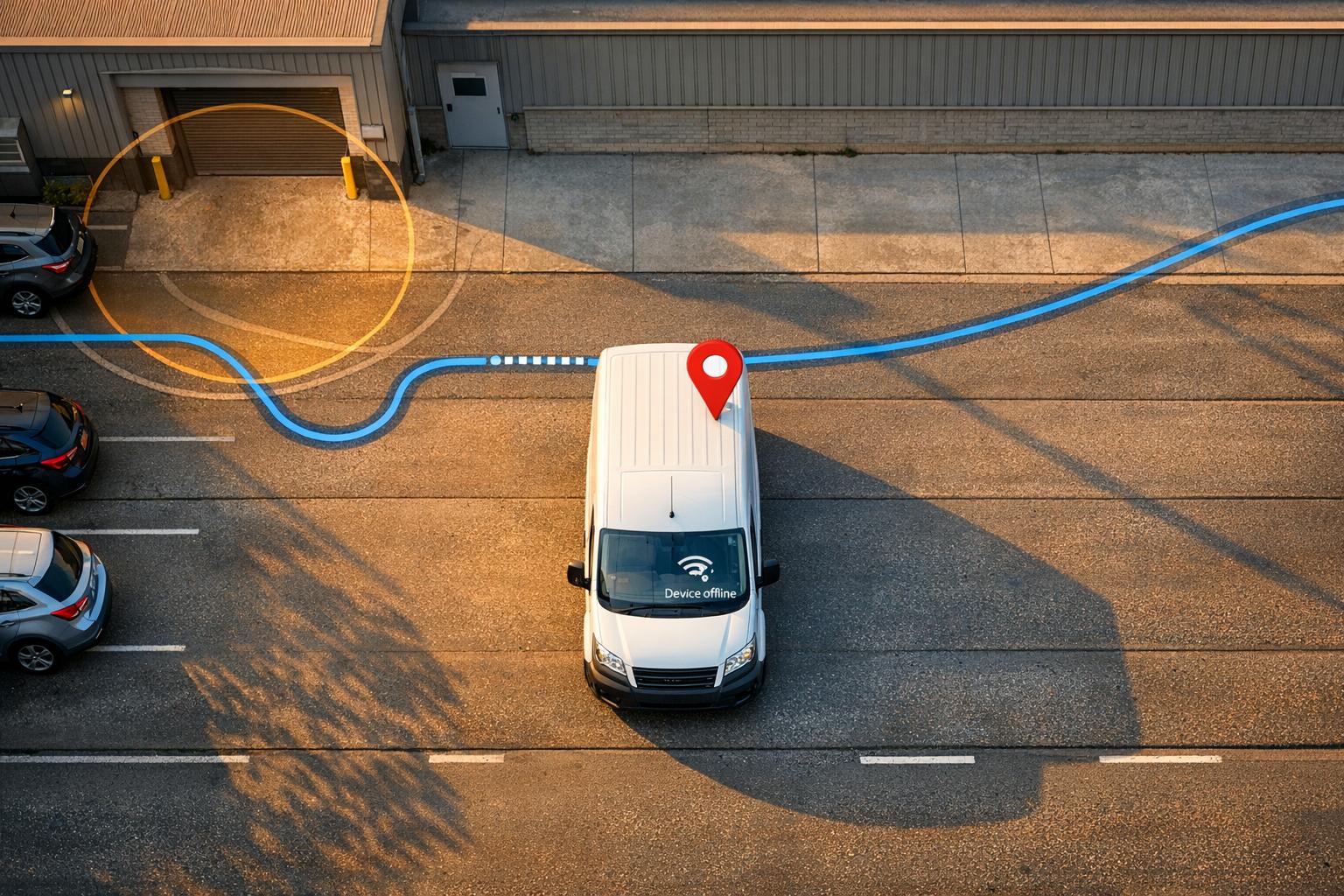
Van trackers are essential for managing fleets, but they’re not without problems. From location errors to false alerts, these issues can disrupt operations, lead to fines, and even jeopardise theft recovery. Here’s a quick summary of the most common problems and how to fix them:
- Tracker Not Reporting Location: Often caused by power issues, SIM problems, or outdated firmware. Regular checks and proper placement can prevent this.
- Inaccurate or Drifting Location Data: Environmental interference, poor satellite geometry, or hardware issues are common causes. Positioning the tracker correctly and keeping firmware updated helps.
- Intermittent Tracking and Data Gaps: SIM card data limits, power supply problems, or hardware damage may cause this. Regular maintenance and monitoring are key.
- Tracker Not Responding to Commands: Connectivity issues, incorrect settings, or physical damage can block communication. Inspect power, SIM, and configuration settings to resolve.
- False Geofence Alerts: Poor configuration or GPS drift can trigger unnecessary notifications. Adjust geofence settings and use time-based rules to reduce false positives.
Quick Tips:
- Schedule regular maintenance (£20–£50 per vehicle annually).
- Update firmware promptly to fix bugs and improve performance.
- Inspect wiring and connections after vehicle servicing or repairs.
- Monitor tracking accuracy and resolve issues early.
Proper upkeep not only prevents downtime but also protects cost savings and improves fleet efficiency.
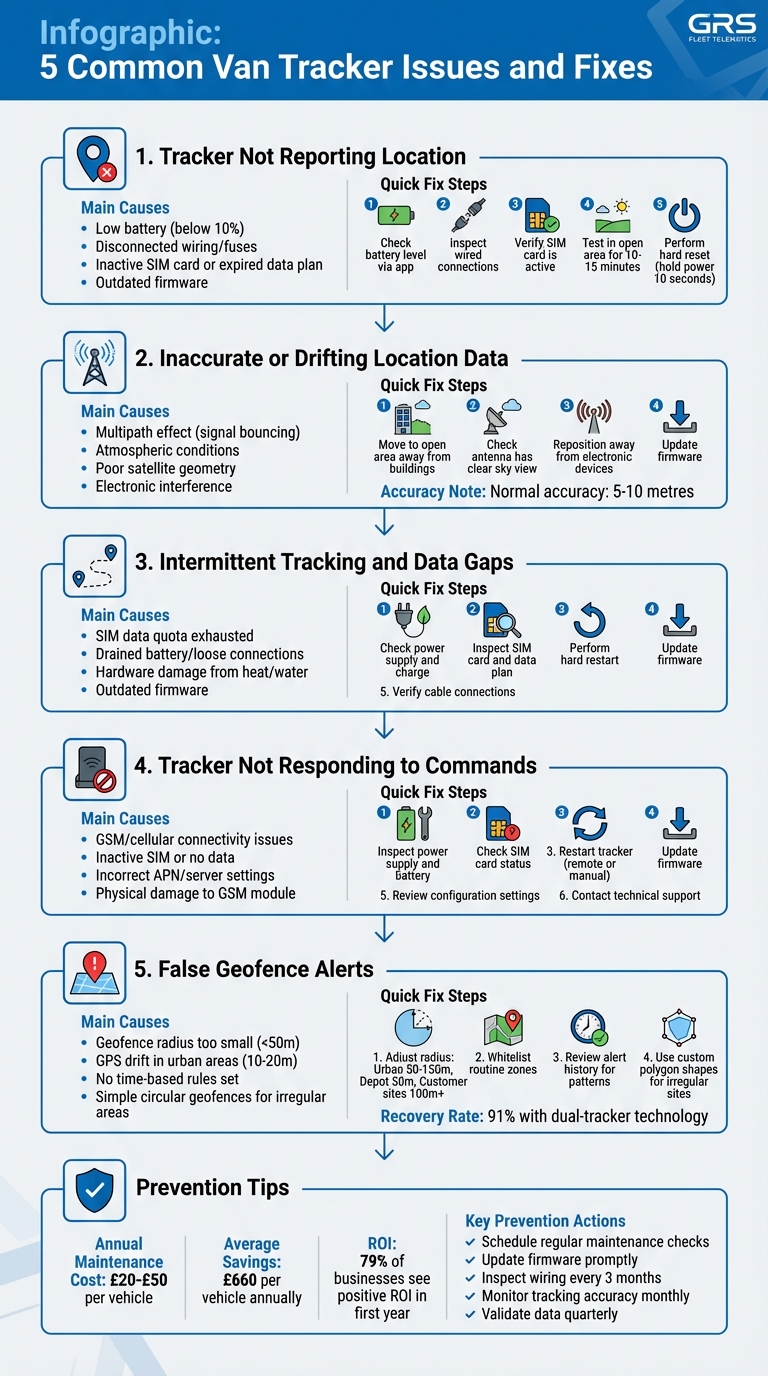
5 Common Van Tracker Issues: Causes and Troubleshooting Steps
How to fix GPS Tracker issues related to inaccurate tracking or location jumping
1. Tracker Not Reporting Location
When your van tracker stops reporting its location, it creates a blind spot in your fleet management, making it harder to monitor operations effectively. This issue often stems from power supply problems, SIM card or data plan issues, or configuration errors that prevent the tracker from communicating with the system.
Causes of the Issue
A tracker can go offline for several reasons. For devices with internal batteries, a low charge or depleted battery is a common culprit. Hardwired units may lose power if the wiring or fuses are disconnected. SIM card issues - such as an inactive card, expired data plan, or incorrect Access Point Name (APN) settings - can also block data transmission. Physical damage, an internal antenna fault, or outdated firmware may further disrupt location reporting.
Step-by-Step Troubleshooting
- Check the battery level: Use your tracking app to see if the battery is below 10%. Recharge the device if needed.
- Inspect wired connections: For hardwired units, ensure all cables and fuses are securely connected.
- Verify the SIM card: Confirm that the SIM card is active, has an active data plan, and is correctly inserted.
- Test in an open area: Take the van to an open location and drive for 10–15 minutes to see if the tracker updates its location.
- Perform a hard reset: Either hold the power button for 10 seconds or disconnect the power source to reset the device.
Maintenance and Prevention Tips
To keep your tracker operational, schedule regular checks and updates:
- Monthly checks: Review the tracking platform to ensure location updates are consistent.
- Software updates: Install updates promptly to improve connectivity and fix bugs.
- Battery management: Enable low-battery alerts for battery-powered trackers and monitor levels frequently.
- Inspect wiring: For wired trackers, examine cables and fuses every three months, particularly after vehicle servicing or harsh weather exposure.
- Optimal placement: Mount the tracker or external antenna where it has a clear view of the sky, avoiding enclosed spaces like glove compartments.
- Durable devices: Opt for trackers with an IP68 rating to withstand water and dust, ensuring reliability in typical UK weather.
2. Inaccurate or Drifting Location Data
Ever noticed your van tracker showing your vehicle hopping between locations even when it’s parked? That’s GPS drift. This issue tends to stand out when the vehicle is stationary, as the tracker might falsely indicate movement between nearby spots. Typically, van trackers provide accuracy within 5–10 metres, but factors like environmental interference and hardware limitations can throw things off.
Causes of the Issue
GPS signals aren’t always straightforward - they can bounce off surfaces, leading to errors. This is known as the multipath effect, where signals reflect off buildings, metal surfaces, or other structures before reaching the tracker. As a result, the receiver processes multiple signals at different times, causing inaccuracies. Atmospheric conditions, such as disturbances in the ionosphere or troposphere, can also delay signals, and solar flares or space weather events may worsen the problem. Another factor is poor satellite geometry - when satellites cluster in one part of the sky instead of being evenly distributed, it becomes harder to pinpoint an exact location.
Electronic interference is another culprit. Signals can be disrupted by mobile phone towers, Wi-Fi networks, or even specific types of lighting. On top of that, older or lower-quality receivers with outdated processing algorithms may struggle to handle these challenges. Placing trackers near large metal objects can also distort or block signals, further complicating things.
Step-by-Step Troubleshooting
- Move to an open area: Take the van to a space away from tall buildings, heavy tree cover, or underground car parks. This allows the GPS receiver to re-establish a strong connection with satellites.
- Check antenna placement: Ensure the external antenna has a clear view of the sky and isn’t obstructed by roof racks, metallic cargo, or debris.
- Identify interference sources: Reposition the tracker away from electronic devices like mobile phones, Wi-Fi hotspots, or even LED lighting inside the van.
- Update firmware: Install the latest software updates to address potential bugs causing location drift. Many modern trackers support over-the-air updates, making this process straightforward.
These steps not only help resolve GPS drift but also reduce the chances of it happening again.
Prevention and Maintenance Tips
To keep GPS drift at bay and maintain accurate tracking, take proactive measures. Position the tracker or external antenna where it has an unobstructed view of the sky, avoiding areas near large metal objects or enclosed compartments. Regularly check tracking accuracy through your management platform - monitoring GPS signal strength and location updates can reveal early signs of issues. Promptly updating firmware ensures the tracker benefits from improved signal processing algorithms.
For trackers that work with multiple satellite constellations like GPS, GLONASS, and Galileo, utilising more satellites at once can minimise the impact of poor satellite geometry. If drifting persists despite these efforts, reach out to GRS Fleet Telematics for expert advice and tailored solutions to optimise your van tracker’s performance.
3. Intermittent Tracking and Data Gaps
When dealing with intermittent tracking, the challenges go beyond just inaccurate data. These interruptions can leave you with prolonged periods where your van's location is completely unknown. Unlike GPS drift, which provides incorrect location data, intermittent tracking means your tracker isn't communicating at all during certain times. This lack of information can seriously disrupt fleet visibility. Common causes include power issues, network connectivity failures, or software glitches.
Causes of the Issue
One of the main reasons for intermittent tracking is problems with the SIM card. If the SIM card's data quota is used up or its validity has expired, the tracker cannot send updates. Incorrect APN (Access Point Name) settings can also block communication with the mobile network. Power supply problems, such as a drained battery or loose connections in wired devices, are another frequent cause.
Hardware damage is another factor to consider. Excessive heat, water exposure, or physical wear can damage the internal antenna or GSM module, leading to signal loss. Outdated firmware or temporary server issues can also result in the tracker appearing offline. Addressing these problems promptly is critical to restoring reliable tracking.
Step-by-Step Troubleshooting
-
Check the power supply:
For battery-operated trackers, ensure they are charged. For wired trackers, inspect connections, look for corrosion or damage, and check that fuses are intact. -
Inspect the SIM card:
Confirm the SIM card is seated correctly, active, and has sufficient data available. Top up the data plan if necessary. -
Perform a hard restart:
Restart the tracker or the vehicle to re-establish the connection. -
Update the firmware:
Use your management platform to install any pending firmware updates, as these often resolve software-related issues. -
Verify cable connections:
Ensure all cables are secure and that the antenna isn’t blocked by metal objects or heavy cargo.
Prevention and Maintenance Tips
To avoid recurring issues, schedule annual professional maintenance checks, which typically cost between £20 and £50 per vehicle. These checks can help keep trackers properly integrated with your van's electrical system and free from physical damage. Regularly monitor your tracking platform for connection status to catch and address issues early. For wired trackers, inspect visible wiring periodically, especially in areas prone to vibration or where cables pass through metal panels. This proactive approach can minimise disruptions and maintain consistent fleet visibility.
4. Tracker Not Responding to Commands
When your van tracker doesn't respond to commands, it means the communication link has been disrupted. Unlike occasional data gaps, where information flows intermittently, an unresponsive tracker completely ignores your instructions. This can prevent you from managing van tracking solutions and security features or adjusting tracking settings when needed. Here's how to identify and fix the issue.
Causes of the Issue
The most common reason for a tracker failing to respond is a connectivity problem. Your tracker relies on a stable GSM or cellular connection to receive commands. If the SIM card is inactive, out of data, or incorrectly inserted, the device won't communicate with the server. Power issues, such as a drained battery or a blown fuse, can also render the tracker unresponsive.
Incorrect device settings can also block communication. For instance, mismatched APN or server configurations can prevent the tracker from connecting properly. Outdated firmware may introduce bugs that disrupt communication entirely. Physical damage, such as a broken GSM module or antenna, often caused by water exposure or overheating, can result in a complete failure to respond.
Step-by-Step Troubleshooting
- Inspect the power supply: Ensure the battery is charged and replace it if necessary. Examine fuses and wiring for any damage or corrosion.
- Check the SIM card: Make sure the SIM card is active, inserted correctly, and has enough data available.
- Restart the tracker: Perform a remote restart or manually power it off and back on by disconnecting and reconnecting the power supply.
- Update the firmware: Look for firmware updates via your tracking platform, as these can fix communication-related bugs.
- Review configuration settings: Verify that the APN and server details match those in the user manual.
- Contact technical support: If the tracker remains unresponsive after these steps, reach out to GRS Fleet Telematics support for further assistance.
Prevention and Maintenance Tips
Regular maintenance can help you avoid command response issues. Test key features like geofencing, alerts, and remote commands monthly to ensure everything is functioning properly. Pay attention to the LED indicators on your tracker - they often provide quick insights into power, GPS, and network status. Keep the firmware updated to minimise software glitches, and set reminders to check your SIM card’s data balance, especially if you're using a pay-as-you-go plan. These simple checks can save you from unexpected disruptions.
5. Geofence Alerts and False Notifications
Geofence alerts are meant to notify you when a van enters or exits a specific area, but when these alerts misfire, they can quickly become a nuisance. False notifications not only waste time but can also distract you from genuine security concerns. By understanding what causes these alerts, you can fine-tune your van tracking system and ensure your tracker works as intended. Here's how to address false notifications effectively.
Causes of the Issue
The most common cause of false geofence alerts is poor configuration. For instance, setting a geofence radius smaller than 50 metres can make the system overly sensitive to slight GPS deviations. In urban areas, GPS signals can bounce off tall buildings, creating a "drift" of 10–20 metres, even when the van hasn’t moved. While modern trackers are accurate to within 1.8 metres, these small errors can still trigger unnecessary alerts.
Everyday activities can also confuse the system. A driver parking just outside a depot to make a call or arriving early to load equipment might be flagged as unauthorised movement. Without adding time-based rules or marking frequently visited locations as trusted, these routine actions can be misinterpreted as security breaches. Another issue is using simple circular geofences for irregularly shaped areas, which might unintentionally include nearby roads or car parks where drivers naturally stop.
Step-by-Step Troubleshooting
To reduce false alerts, start by adjusting the geofence radius to match the environment:
- Urban areas: Use a radius of 50–150 metres to account for potential GPS signal drift caused by tall buildings.
- Depot security: Opt for a tighter radius of 50 metres but combine it with time-restricted alerts to avoid unnecessary notifications.
- Customer sites: A medium radius of 100 metres or more works better for locations with varied parking arrangements.
Next, whitelist routine zones by marking frequently visited places as trusted areas. This prevents alerts for regular stops. Review your alert history to spot recurring false positives. If a specific location is a problem, try widening the radius or reshaping the geofence to better match the actual layout. Custom polygon shapes are especially helpful for irregular sites like construction zones or industrial estates.
Prevention and Maintenance Tips
Set time-based rules to match your operational schedule. For example, if your depot closes at 6pm, configure geofence alerts to activate only outside working hours. This avoids unnecessary notifications during normal activity. Regularly check and update your geofence settings, especially after site layouts change. Using dual-tracker technology can further improve geofence accuracy, with a reported 91% recovery rate for stolen vehicles.
How to Prevent Van Tracker Problems
Preventing van tracker issues largely comes down to consistent upkeep and planning. Regular maintenance is key, and fleet operators should set aside £20 to £50 per vehicle annually for this purpose, covering support services and software updates. While this might seem like a small expense, it delivers significant benefits: 79% of businesses report a positive return on investment from real-time GPS tracking within the first year, with average savings of £660 per vehicle annually. Staying proactive with maintenance not only avoids breakdowns but also extends the life of your tracking devices.
Keep firmware updated to address bugs and enable new features, such as enhanced geofencing. Map data should also be refreshed every one to two years to account for updated roads and construction. Your device manual will guide you through these updates. As Electronic Service explains:
Keeping your GPS navigation system up-to-date is essential for accurate directions and a safe driving experience. Don't let outdated maps or software cause you to miss a turn or get lost.
Another critical step is data validation. Every three months, compare the tracker's mileage logs with the vehicle's odometer to ensure accuracy. This quarterly check complements other maintenance practices, creating a comprehensive approach. For example, in March 2023, John O'Conner Grounds and Maintenance adopted a wired tracking system under Managing Director Matt O'Conner. This system automated MOT and service scheduling, saving the company between £1,000 and £2,000 per vehicle annually through digital record-keeping and maintenance alerts.
Don't overlook physical inspections. After vehicle repairs or modifications, check the tracker's wiring for loose connections, frayed cables, or water damage. These quick checks can prevent costly downtime. Additionally, telematics monitoring of driver behaviour has been shown to reduce accident costs by 22%, proving that well-maintained systems safeguard both vehicles and finances.
Lastly, always follow the manufacturer's guidelines. Your device manual is the most reliable resource for maintenance schedules and procedures. Each tracker model has unique requirements, and adhering to these ensures you don't void warranties or miss critical updates. Keep these manuals easily accessible for drivers and fleet managers, and incorporate tracker maintenance into regular vehicle inspections. This habit will help you stay ahead of potential issues and keep your fleet running smoothly.
Conclusion
Van tracker malfunctions can throw fleet operations into chaos. When a tracker fails, it compromises theft recovery, cost management, compliance, and safety. Beyond losing critical data, a faulty tracker could lead to fines of up to £4,000 per vehicle per day and wipe out as much as 15% of potential fuel savings. On top of that, your vehicles and assets are left exposed to theft.
The upside? Most tracker issues are easy to resolve. Simple steps like regular maintenance, firmware updates, and routine system checks can keep your trackers running without a hitch. Together, these measures create a solid defence against operational disruptions.
The first step in prevention is investing in reliable equipment. GRS Fleet Telematics’ dual-tracker technology is designed to keep location data intact, even if tampering occurs, boasting a 91% recovery rate for stolen vehicles. Their systems are backed by 24/7 UK-based support. Whether you opt for the Essential tracker at £35 for basic monitoring or the Ultimate system at £99 with immobilisation features, both include a £7.99 monthly subscription. This covers SIM data, platform access, and a dedicated account manager.
Success stories underline this approach. Mark Keel from KD Doors shared how a dependable tracking system ensured quick recovery and safeguarded his assets. Regular maintenance and timely updates are the key to avoiding these problems altogether.
FAQs
How can I tell if my tracker issue is related to GPS or the mobile network?
To figure out what's wrong, start by reviewing the tracker’s location data. Inaccurate or inconsistent location details can point to a GPS signal problem, often caused by obstructions like buildings or interference. However, if the tracker isn’t updating or appears offline despite showing accurate GPS data, the issue likely lies with the mobile network connection. To minimise these problems, ensure regular maintenance, check for adequate network coverage, and try to keep the tracker clear of obstructions.
Where should a van tracker be fitted for the best signal?
For the best signal, a van tracker should be positioned where it can maintain clear GPS and cellular reception. A prime spot is often the dashboard or the central area of the vehicle, as this allows an unobstructed view of the sky. Steer clear of placing the tracker near materials like metal panels or thick dashboards, as these can interfere with connectivity - something crucial for precise tracking and ensuring the security of your vehicle.
When should I contact GRS Fleet Telematics support instead of troubleshooting?
If basic troubleshooting or adjustments don’t fix the problem, it’s time to reach out to GRS Fleet Telematics support. This applies to ongoing connectivity issues, hardware malfunctions, or any technical glitches that persist.
You should also contact support for concerns like hardware failures, suspected tampering, or performance problems that need expert attention. Whether it’s system breakdowns, software errors, or replacing faulty hardware, professional help ensures your fleet’s tracking and security stay dependable.