Van Tracker Device Data: Edge vs Cloud Processing
Edge vs cloud for van trackers: edge gives near‑instant theft alerts and offline resilience; cloud supplies centralised history, reports and audits.
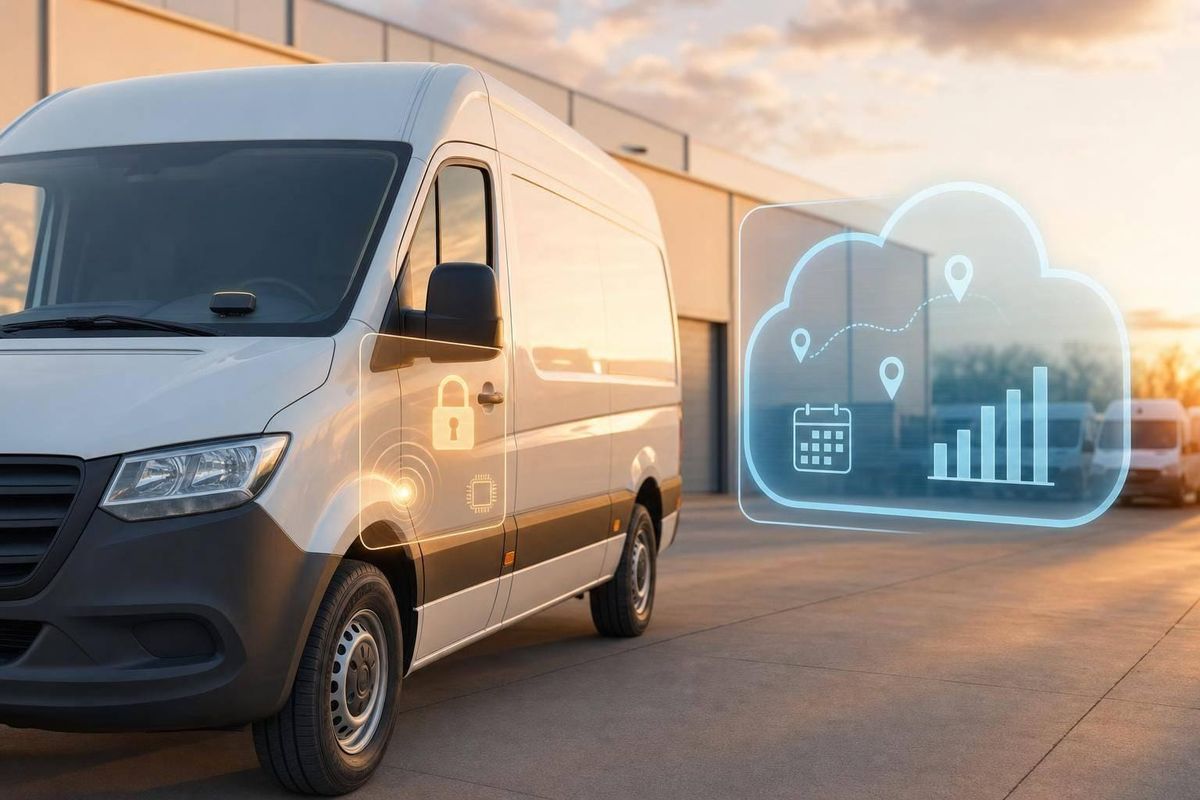
If you want fast theft alerts and fewer gaps in the record, edge processing usually wins. If you want dashboards, reports and one place to review fleet history, cloud processing does that job better.
I’d sum it up like this:
- Edge processing handles events on the tracker itself
- Cloud processing sends data away for analysis in a central system
- Edge is faster for geofence, tamper and ignition alerts
- Cloud is stronger for route history, audit logs and fleet review
- In poor signal areas, cloud-only setups can miss about 5% of route events
- For many UK van fleets, a hybrid setup gives the best mix of alert speed, data backup and office visibility
If I were choosing, I’d match the setup to fleet risk. A theft-prone fleet needs strong on-device event handling and local storage. A reporting-led fleet may lean more on cloud tools. Most fleets need both.
Quick comparison
| Criteria | Edge processing | Cloud processing |
|---|---|---|
| Alert speed | Near-instant on the device | Depends on signal and network delay |
| Data use | Lower, because data can be filtered and sent in batches | Higher, because more raw data is sent |
| Signal dependence | Lower | Higher |
| Offline use | Stores events and syncs later | More likely to leave gaps during no-signal periods |
| Best for | Theft alerts, tamper events, local triggers | Dashboards, reports, history, audit records |
So the short answer is simple: edge helps the van react now, cloud helps the office review later.
Edge Computing vs Cloud The Real Difference & Why It Matters for IoT
sbb-itb-499a7f0
Edge vs cloud processing: key differences at a glance
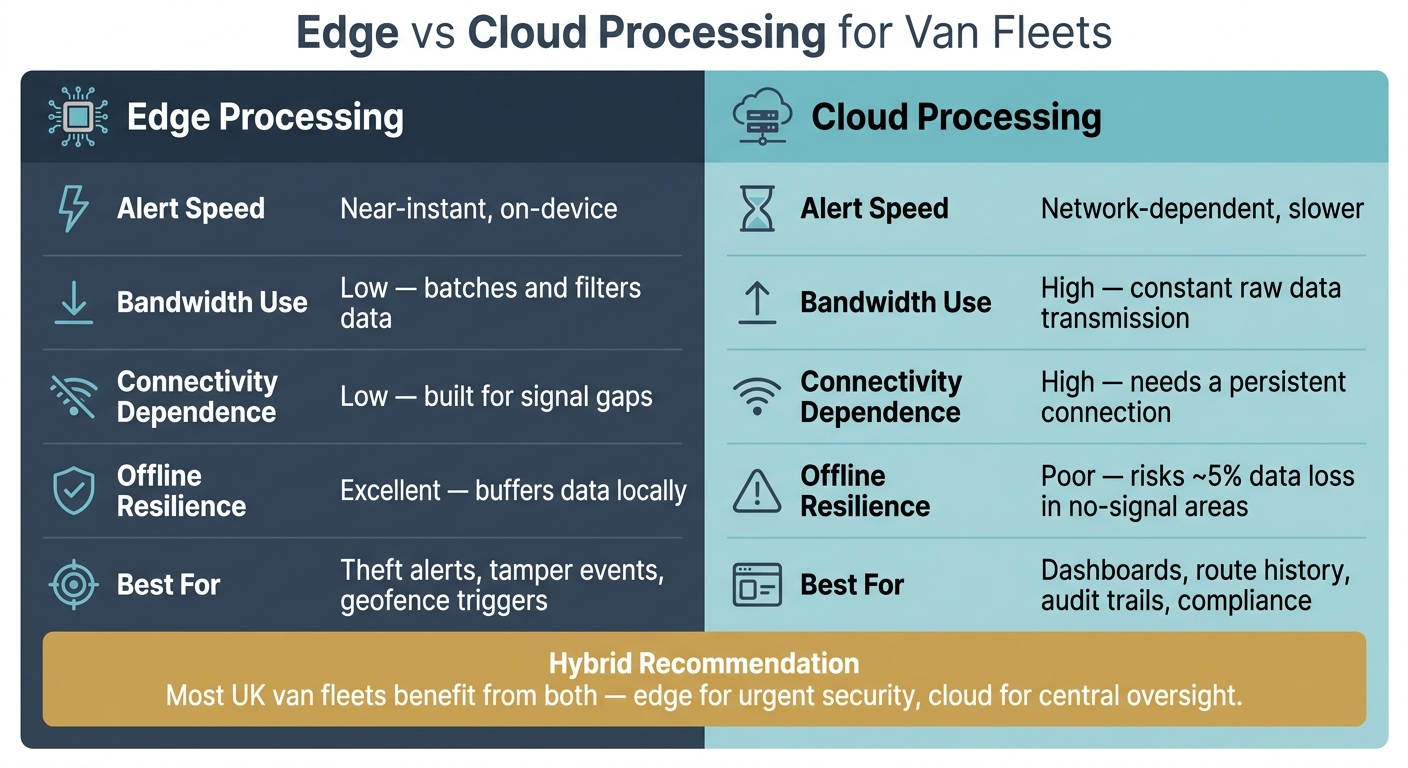
Edge vs Cloud Processing for Van Fleets: Key Differences
The main trade-off is pretty simple: local speed and resilience versus central oversight. That choice shapes alert speed, mobile data use, and how well the system keeps working when coverage drops.
For van fleets, the gap shows up fast when vehicles move through patchy signal areas or need instant alerts.
| Capability | Edge Processing | Cloud Processing |
|---|---|---|
| Latency / Alert Speed | Near-instant, on-device | Network-dependent, slower |
| Bandwidth Use | Low - batches and filters data | High - constant raw data transmission |
| Connectivity Dependence | Low - built for signal gaps | High - needs a persistent connection |
| Offline Resilience | Excellent - buffers data locally | Poor - risks data loss in no-signal areas |
Start with speed, because that’s where the difference is easiest to spot.
Alert speed and response time
Edge processing doesn’t hang about. If a device spots a tamper event or a geofence breach, it can react on the spot. There’s no need to send the data away, wait for a reply, and then act.
In fleet work, that delay matters. It can affect preventing vehicle theft, dispatch calls, and the updates customers get when something changes on the road.
Data volume and mobile network use
Edge systems keep data use down. Instead of sending everything all the time, they filter events, batch updates, and compress data before transmission.
Cloud processing pushes more data across the network. That puts more strain on mobile data plans, especially on routes where signal is weak and the connection keeps dropping in and out.
Event handling and offline resilience
This is where the split between the two models becomes most obvious in day-to-day use. Cloud-only systems can miss approximately 5% of route events in no-signal areas, which can cause problems if a customer disputes a delivery or a compliance record ends up incomplete.
If a van loses signal, the device needs to buffer events locally and sync them later. That matters most for theft-sensitive vans and routes where coverage is unreliable.
Where edge processing works better for van fleets
Edge processing has the biggest impact when speed and continuity affect vehicle security.
Faster theft alerts and security actions
If a van is moved without authorisation, a tracker with on-device processing can spot the event on the device itself. That could be an ignition change, a tamper event or a power loss. It then reacts at once, without waiting for a trip to the cloud and back. That cuts the time between the incident and the alert.
This becomes even more important when thieves use GPS jamming. In that case, the device keeps the last movements and sensor events stored locally, then uploads them once the signal comes back. So instead of a blank hole in the timeline, fleet managers and law enforcement get a full sequence of what happened.
Some devices also support remote vehicle immobilisation and can trigger a local response. When a vehicle needs an immediate security action, that extra speed can make all the difference.
Better performance in areas with patchy coverage
Vans often travel through tunnels, rural sites and depots where mobile signal drops out. A tracker with on-device processing keeps event detection running during those gaps. That means you still get a usable event history instead of empty sections in the record.
Events such as:
- ignition states
- geofence breaches
- out-of-hours movement
are stored locally and synced later when coverage returns. The device logs events in the right order, then reconciles them once the connection is back.
Map routes and size onboard storage for the longest offline stretch, not the average one.
Cloud still matters for central oversight and reporting.
Where cloud processing adds value for remote oversight
Where edge wins on speed, cloud wins on visibility. The vehicle deals with urgent calls in the moment. The cloud handles records, dashboards and fleet analysis at scale.
Central dashboards, history and reporting
Once data reaches the cloud, route history, driver behaviour analytics trends, idling patterns and fuel use can all sit in one dashboard for the teams that need it.
This tends to matter most for larger fleets spread across several UK sites. Finance teams can use mileage records for payroll. Safety managers can check driver scorecards. Operations teams can compare route performance across regions from the same standardised records.
Cloud platforms also support audit trails. These logs show when an event was captured, uploaded and changed. That kind of traceability helps when dealing with an insurance dispute or a regulatory audit on driver hours.
Prioritise urgent alerts in the main platform, and store routine location data in a separate archive.
When a hybrid model is the practical choice
Most fleets need both: live decisions in the van and oversight in the platform. For most UK van fleets, a hybrid setup is the practical default.
| Need | Best handled by |
|---|---|
| Theft alerts or in-vehicle safety triggers | Edge processing |
| Offline event logging in patchy coverage | Edge processing |
| Route history and utilisation trends | Cloud processing |
| Driver behaviour review and scorecards | Cloud processing |
| Audit trails for compliance or insurance | Cloud processing |
| Fleet-wide reporting across multiple sites | Cloud processing |
Conclusion: Choosing the right model for speed, oversight and fleet risk
The choice comes down to which layer needs to respond first. Edge is best for urgent action. Cloud is best for oversight. They solve different parts of the same problem.
Edge processing fits security and resilience. Theft alerts, geofence triggers, and local event logging all work better when the device can decide on the spot. Cloud fits reporting and audit trails, where central records and fleet-wide visibility matter most.
For most fleets, it’s not an either/or call. A hybrid setup handles urgent security events at the edge, keeps a centralised record in the cloud, and cuts data use by syncing only the events that matter.
The right setup depends on fleet risk. A fleet running high-risk routes needs strong edge capability and local buffering for dead zones. A fleet that cares more about reporting can lean more on the cloud layer. Speed on the road and visibility in the office work best side by side. Choose edge for urgent security, choose cloud for oversight, and choose both when risk and reporting matter.
FAQs
Which setup suits my fleet best?
It comes down to what matters most to you and how reliable your routes are.
If you need fast theft alerts, live safety monitoring, or you operate in places with weak mobile coverage, an edge-first or hybrid setup is usually the better fit.
If your main focus is analytics, compliance reporting, and simple access across the fleet, cloud-based can do the job well.
For most businesses, a hybrid model gives you the best balance.
How much local storage does a tracker need?
It depends on your fleet’s day-to-day needs, not one fixed storage size.
For basic telemetry, 64–128 GB of eMMC or UFS storage is usually enough. If your vans use video-enabled cameras, 256–512 GB with industrial SSDs is a better fit.
The best way to judge it is simple: base storage on the longest period you expect the system to be offline, then add a safety buffer so data doesn’t get overwritten. It also makes sense to give local storage priority to high-priority events such as theft alerts, crash data, and ignition changes.
Can edge processing still work during signal loss?
Yes. Edge processing still works when the signal drops because the device handles and stores data locally in the vehicle. That means it can keep tracking metrics, spotting events, and triggering alerts even without cellular connectivity.
It also uses a store-and-forward method to buffer key data on the device. When the connection comes back, the stored data is automatically synchronised with the cloud so records stay complete and accurate.