Fleet Van Theft Checklist | Trackers, Locks, Alerts
Daily van-security checklist for fleets covering trackers, locks, key control, parking, tool storage and incident logging to prevent theft.
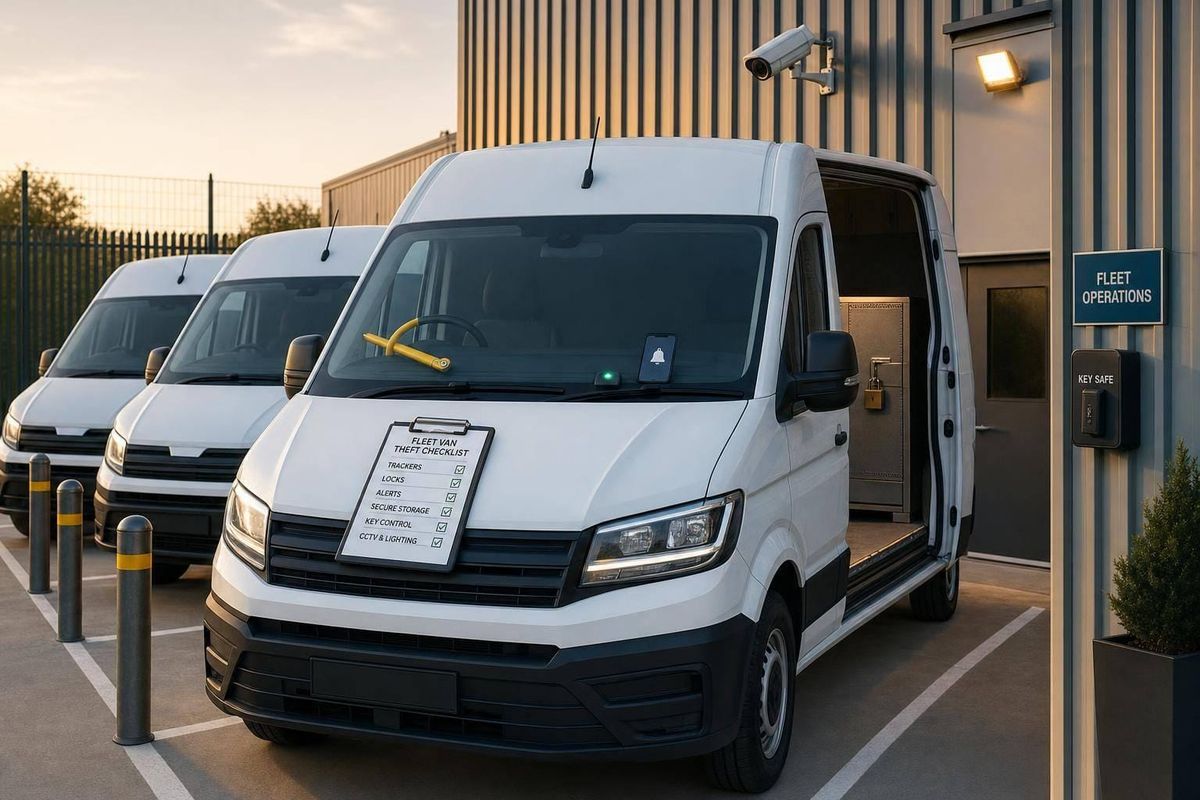
More than 11,000 vans were stolen in the UK in 2024, and only about 39% were recovered. If I run a fleet, the simple answer is this: I need a daily theft routine that covers trackers, alerts, locks, keys, parking, tools, and incident reports.
Here’s the checklist in plain English:
- Check trackers and theft patterns first: every van should be online, showing a recent timestamp, and sending GPS, ignition, and movement data.
- Review alerts: geofences, curfews, tamper warnings, and out-of-hours movement alerts should go to the right person straight away.
- Check doors and locks: test cab, side, and rear doors, and look for pry marks, drilled holes, bent frames, or damaged trim.
- Use extra security kit: steering locks, OBD protectors, window grilles, bulkheads, and padlocks should all be checked.
- Control keys: log every issue and return, lock spare keys away, and act at once if a key is lost or stolen.
- Park with care: use lit areas, CCTV, locked compounds, and park doors close to walls where possible.
- Do not leave tools in vans overnight: if tools must stay, lock them in a fixed steel box and keep an item list with serial numbers.
- Report every problem: suspicious activity, missing keys, lock damage, tracker faults, and parking breaches should all go in the incident log.
- Review the log every week: look for repeat faults, missed alerts, and vans with unresolved lock or tracker issues.
The main point is simple: one device or one rule is not enough. I’d treat van security as a daily routine built around delay, detection, and recovery, because theft often happens when one small check is missed.
That’s what this article covers.
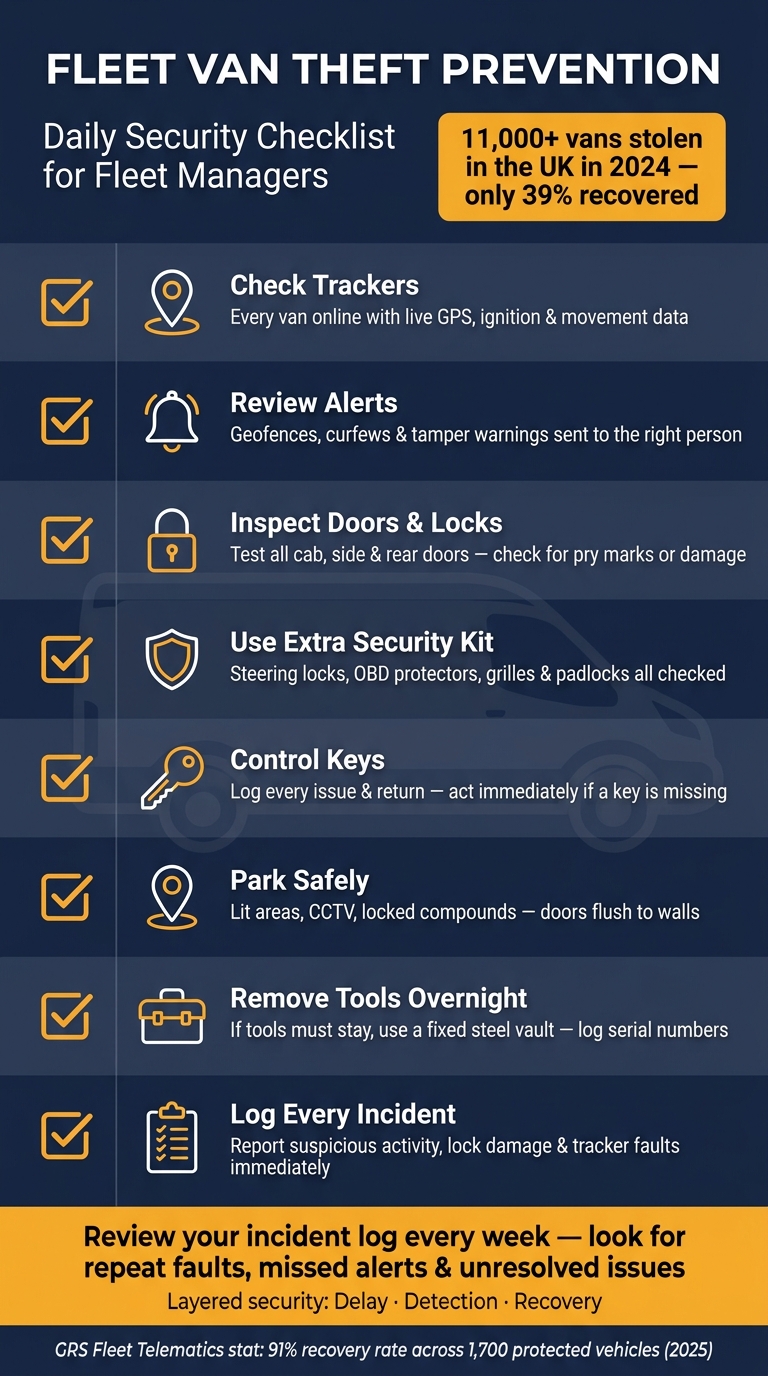
Fleet Van Theft Prevention: Daily Security Checklist
The Best Van Security Tips: Keep Your Tools and Vehicle Safe!
sbb-itb-499a7f0
1. Daily tracker and alert checks
Before any van leaves the depot, check the dashboard for three basics: an online tracker, a recent timestamp, and live GPS, ignition, and movement status. If any unit shows as offline, sort it before that vehicle moves.
Confirm every van tracker is online and reporting
An overnight signal loss isn't just a minor fault. It's a security problem. Put power-loss and tamper alerts at the top of the list, as they may show that someone has already interfered with the vehicle. Check battery and backup-power warnings as well, especially on systems with a secondary device.
GRS Fleet Telematics uses dual-tracker technology - a hard-wired unit plus a hidden battery-backed backup - so the van stays visible if the main tracker is removed; across 1,700 protected vehicles, this supported a 91% recovery rate in 2025.
Once every tracker is live, move on to the alerts that need to wake the right person at the right time.
Review geofences, curfews and theft alerts
Make sure geofences are active for every depot, compound, and approved overnight parking location. Curfew rules should trigger alerts for any ignition event, movement, or geofence breach out of hours. For vans parked at drivers' home addresses overnight, set a clear movement threshold.
Send high-priority alerts by SMS and push notification to the duty manager. Lower-priority events, such as a brief signal dip, can go by email for later review.
If a theft alert comes in, follow the response sequence at once.
Check immobilisation and stolen vehicle response steps
Keep a secure register showing which vans have remote immobilisation enabled. Each morning, confirm those vehicles have an online tracker and no immobilisation faults recorded.
If a theft alert is received:
- Verify the alert: check live location, speed, and ignition, then contact the driver.
- Contact police immediately with the registration, make, colour, live location, and direction of travel.
- Monitor the van and relay location updates to police; do not intercept.
- Immobilise only when the van is stationary, police are informed and it is safe to do so.
2. Lock, door and window security checks
Once alerts are live, move to the van’s physical entry points. A quick walk-round before departure and again at the end of the shift only takes a few minutes, and it keeps attention on the spots thieves go for first.
Test cab, side and rear door locks
Work through every access point in the same order each time: cab doors, side door, rear doors, windows and storage compartments. Turn on central locking, deadlocks and slam locks, then pull each handle firmly to make sure the door has fully latched. If a door hasn’t caught properly, it can still be forced open.
At each door, check the lock barrel, hinges and strike plate. Watch for fresh scratches, metal shavings, dents or frames that no longer line up. Those can point to pry-bar or drill attacks, including ‘peel and steal’. Also look for broken plastic trim around handles, cracked glass near window edges, small drilled holes near locks, or damaged sealant. If a van shows any of these signs, take it out of service and report it before the next shift.
Check added security devices and visible weak points
Now run through any extra security hardware fitted to the van:
- Window grilles - check for loose fixings or bent bars.
- Bulkhead - all fixings intact, with no drilled holes or cut-outs that would let someone get from the cab into the load area.
- Steering wheel lock - fit it and lock it whenever the van is parked.
- OBD port protector - closed and locked.
- External padlocks on ladder boxes or side lockers - closed, locked and with no signs of tampering.
If any device or lock is damaged, log it before the van is used again.
Complete the end-of-shift lock routine
What makes this routine work is consistency. Use the same fixed order every time the van is left unattended overnight.
- Park in the designated area.
- Switch off the engine and remove the keys straight away. Many opportunistic thefts happen when engines are left running during short stops.
- Close all windows fully, including cab windows, load-area windows and any roof vents. Check that the seals are intact.
- Lock all doors using central locking and any fitted deadlocks or slam locks, then make sure each door has latched.
- Arm the alarm and check that the status indicator shows it is active.
- Store keyless entry fobs in an RFID-blocking pouch or metal box overnight to cut relay-theft risk.
Log and escalate any fault before the next shift.
3. Key control, parking and tool storage rules
After the walk-round, the next job is simple: control who can move the van, where it ends up, and what stays inside. Once the van is locked, you still need to manage the people, places and loads around it.
Control key issue, returns and spare key access
Every key should be kept in a locked key cabinet at the depot, with numbered hooks that match vehicle registrations. When a driver takes a key, they should sign a log with their full name, the vehicle registration, the key number, the date and time, and the expected return time. When they bring it back, they sign again and record the actual hand-back time. At the end of each shift, check the cabinet so every issued key is accounted for. No signature, no key.
Spare keys should be stored in a separate safe, out of public view, with access limited to named managers. Each spare-key withdrawal needs its own log: who took it, why, which vehicle it was for, and when it was returned. Digital key cabinets with PIN or keycard access help here because they leave an audit trail for reviews and claims.
If a key is lost, not returned on time, or suspected stolen, move at once. Mark the van as do not release and check whether the tracker is online. If you use GRS Fleet Telematics, check the last known location, set a geofence and turn on theft alerts. Use any remote immobilisation function only if it is installed and allowed under your policy, then tell the police and your insurer. Arrange for the locks to be re-coded before the van goes back into service. This is one of those moments where delay can cost you. Missing-key thefts often happen in that gap, especially with trades vans parked at home overnight.
After keys, control where the van is left.
Set clear parking rules for depot, site and overnight stops
Where a van is parked matters just as much as how it is locked.
| Parking location | Required action |
|---|---|
| Depot | Park in well-lit areas with active CCTV coverage; back vans against walls or other vehicles to restrict door access |
| Secure compound | Use compounds with fencing and controlled gate access; park away from perimeter fencing and keep gates locked outside operating hours |
| Public car park | Choose Park Mark-accredited sites; park near lighting, CCTV or staffed areas |
| Street parking | Park side or rear doors flush against a wall or close to another vehicle; avoid isolated or unlit spots |
On sites, use compounds behind locked gates and avoid roadside parking after hours. At home, use a driveway and park the doors close to a wall or garage door. No driveway? A nearby Park Mark-accredited car park is a better bet than an unlit street, especially if the van carries high-value tools.
Then lock down the load area.
Secure tools and loads before leaving the van
The default rule should be clear: no tools left in vans overnight. UK FOI data show nearly half of reported tool theft incidents involve vans. So, at the end of every shift, remove the tools.
If tools have to stay in the van, keep them in steel vaults bolted or welded to the vehicle, with anti-tamper locks and no view through the windows. Cut off the line of sight with partitions or opaque panels. Even a small window sticker saying that tools are not left in the van overnight can help put off opportunistic thieves.
Keep an up-to-date asset list for each van. That list should include item descriptions, serial numbers, approximate values, and any property marking such as UV pen, engraving or forensic marking products. Store the list securely and update it whenever kit is added or swapped out. Detailed asset lists can speed up recovery and claims.
Any key, parking or tool-storage breach should be logged at once for manager review. If something slips here, it should go straight into incident reporting.
4. Incident reporting and weekly manager review
Log every key, parking and load-security breach as soon as it happens, then review the log every week.
Once the van is locked and the keys are under control, the next step is simple: every breach goes into the incident log. That matters because small misses often point to a bigger pattern.
Report suspicious activity, attempted theft and missing keys straight away
If a driver notices suspicious activity, an attempted theft or missing keys, they should stop only if it is safe to do so, move to a safe location, and contact the fleet manager or control room straight away.
That first report should include:
- vehicle registration
- exact location
- time
- what was seen
- whether the van was locked
- whether all keys are accounted for
- whether the tracker is showing live data
If theft is in progress or violence is involved, call the police first, then notify the fleet manager. If the van is missing or the keys are found to have been stolen, notify the fleet manager at once and contact the police without delay. Get a crime reference number and record it in the log.
All reported incidents must be recorded in an auditable log. Each entry should include:
| Field | Detail to capture |
|---|---|
| Date and time | Exact time of incident and time it was reported |
| Location | Postcode or GPS coordinates |
| Vehicle details | VRM, make, model and colour |
| Tracker status | Online, offline or last known position |
| Incident type | Suspicious activity, attempted theft, missing key, lock damage |
| Evidence | Witness names and contact details, photos if available |
| Police reference | Crime reference number and any insurer contact if applicable |
| Damage or stolen items | Description, estimated value and visible damage |
A standard digital form or a laminated quick-reference card in each van helps keep reports consistent when people are under pressure. The contact chain should also set out the roles and named contacts in the right order, so nobody wastes time guessing who to call next.
Those logged incidents should then feed into the weekly manager review. Use the log to spot repeat faults, missed alerts and parking breaches that keep coming up.
Run a weekly review of alerts, lock faults and parking breaches
Carry out a weekly audit of tracker health, alert delivery, lock condition, and parking and key compliance.
Check for any tracker that has gone offline, delayed position updates, geofence or curfew alerts that did not reach the right staff, and remote immobilisation features that have not been tested recently. If the fleet uses GRS Fleet Telematics, confirm that tamper alerts, out-of-hours movement rules and recovery workflows are active and set correctly, especially for high-value vans or vans carrying a lot of tools.
For physical security, check whether lock faults, forced-entry marks or door misalignment have been reported and whether maintenance has been booked. A vehicle with an unresolved lock issue should be marked as high risk until it is repaired.
On parking and keys, look for overnight stops outside approved locations, drivers who missed the sign-out log, or spare-key withdrawals with no return entry. Each issue found in the review should have an owner, a deadline and a follow-up check.
Repeated breaches need a formal reminder and a record of any retraining given. The audit trail matters. A steady review process creates clear evidence that documented security controls were in place, which supports both police investigations and insurance claims.
Conclusion: Build layered van security into daily fleet routines
Van theft is rarely down to one single failure. More often, it happens in the gap between what the policy says and what happens day to day: a tracker went offline and nobody noticed, a key was not signed back in, or a van ended up on an unlit street because the compound was full.
The five areas in this checklist - trackers and alerts, locks and doors, key control, parking, and incident reporting - work best when they operate together as part of a daily routine, not as a one-off task.
Telematics gives the fleet visibility. Physical locks and secure parking cut the chance of theft. Key control limits access. A clear reporting and review process turns those separate checks into an auditable security system. It only works, though, when staff report problems fast and managers review them every week.
FAQs
How often should fleet van security checks be done?
Carry out tracker maintenance every month to keep security working as it should. That means checking alerts, updating software, confirming GPS signals, and reviewing geofencing settings.
You should also review your wider fleet theft reporting procedures at least once a year. If you manage a high-risk fleet, do this more often so your process keeps pace with changing security threats, insurance requirements, and telematics hardware updates.
What should I do if a van tracker goes offline?
First, make sure the van hasn’t simply been moved for maintenance or an unlogged delivery. Then check your tracking platform for signs of power loss, connection issues, or possible tampering.
If the issue keeps happening, contact support with your device IMEI and account details so they can run remote diagnostics. If you use GRS Fleet Telematics, dual-tracker technology can give you backup monitoring if the primary unit has been compromised.
What is the safest way to store tools overnight?
The safest move is simple: take your tools out of the vehicle overnight.
If they have to stay in the van, don’t just leave them loose in the back. Lock them in a reinforced steel tool safe or a dedicated van vault.
You can add another layer of protection with internal barriers, such as security cages or reinforced bulkheads. It also helps to park in a secure, well-lit area or, better yet, in a garage.